Pognali is an app for group travel: a plan by day, tickets, expenses and lists in one place (more in the app case). The landing page had to explain it in a few seconds.
The app solves a clear pain, but describing it in words is boring: “everything about your trip in one place” is what every second travel app says. And when it comes to travel, you want to talk about it with feeling. So I wanted the page to be emotional first: let people feel the anticipation of a trip, and only then understand how the app helps.
Inspired by travel notebooks
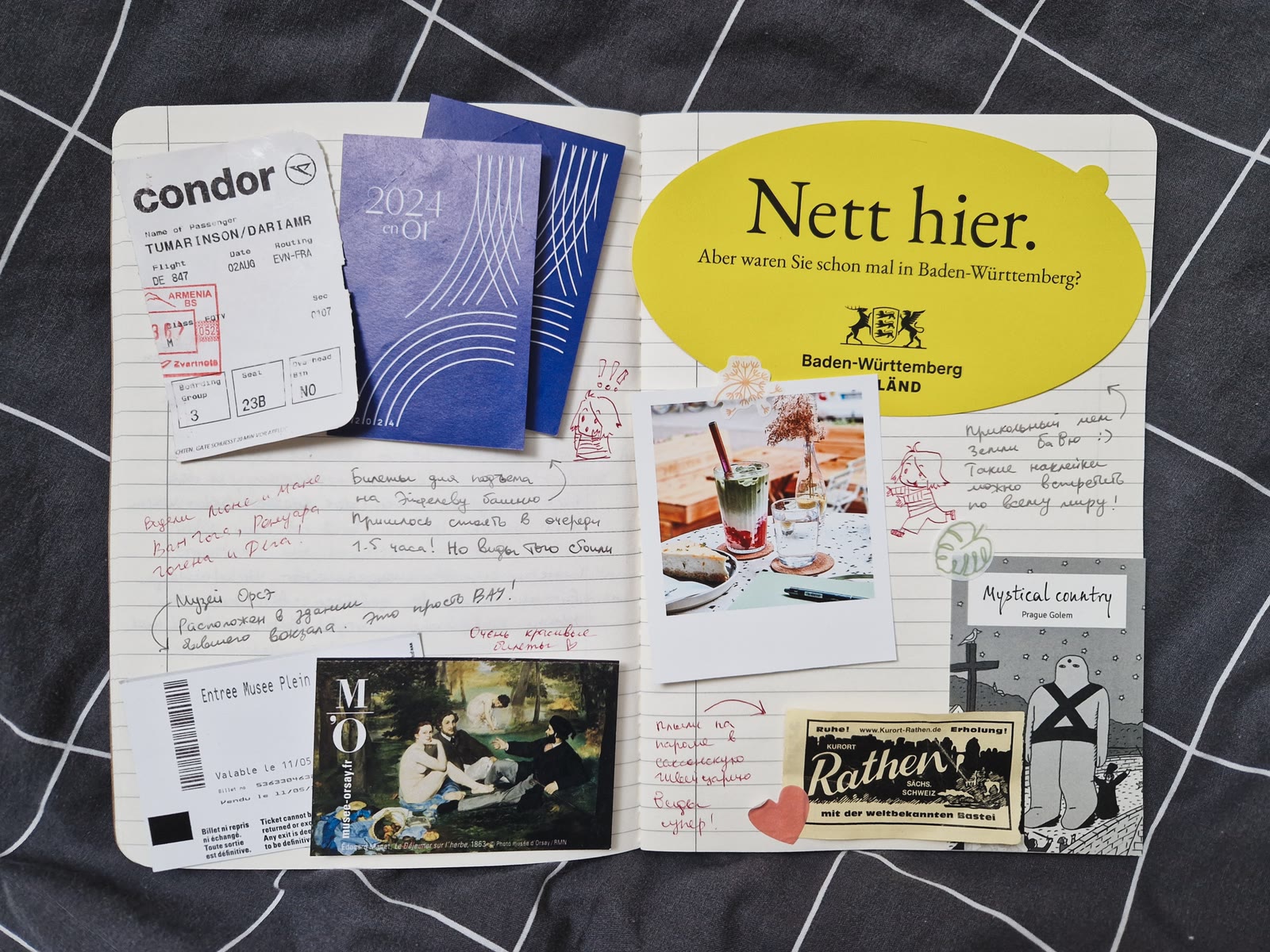
I love travel notebooks, so I took their look as the base for the page. People tuck boarding passes into them, glue in tickets, hotel tags and stickers, and write by hand what they liked. So on the site the elements lie slightly askew, as if just pasted in, with handwritten notes and arrows around the phone. I wanted the page to feel like a spread of a living notebook, not another screen with buttons.
There is little text on the page, and it is deliberate. Pictures and motion usually work better than words: each screen has only a headline and a couple of lines, and the rest is told by animation and live fragments of the app itself.
My travel notebook
From chaos to order
The first screen is a metaphor for how a trip usually looks: tickets, bookings, chat screenshots and notes scattered around. As you scroll, the cards fly into a phone and become a tidy plan by day, and the headline reads: “Instead of chaos — a clear plan”. The interface is not a picture: you can click an event and see how it works. Each type of event also has its own surroundings.
In short: what the app can do
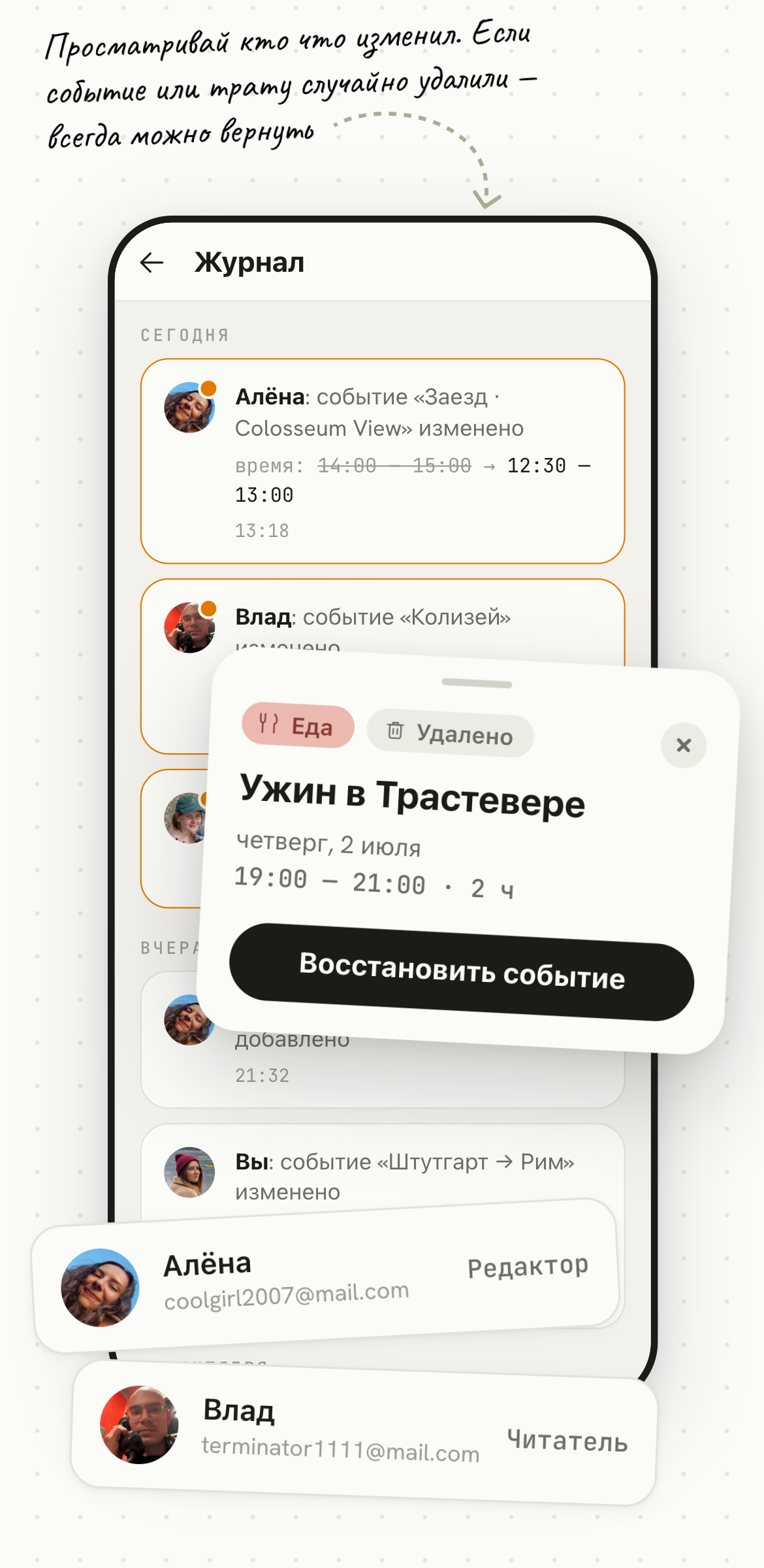
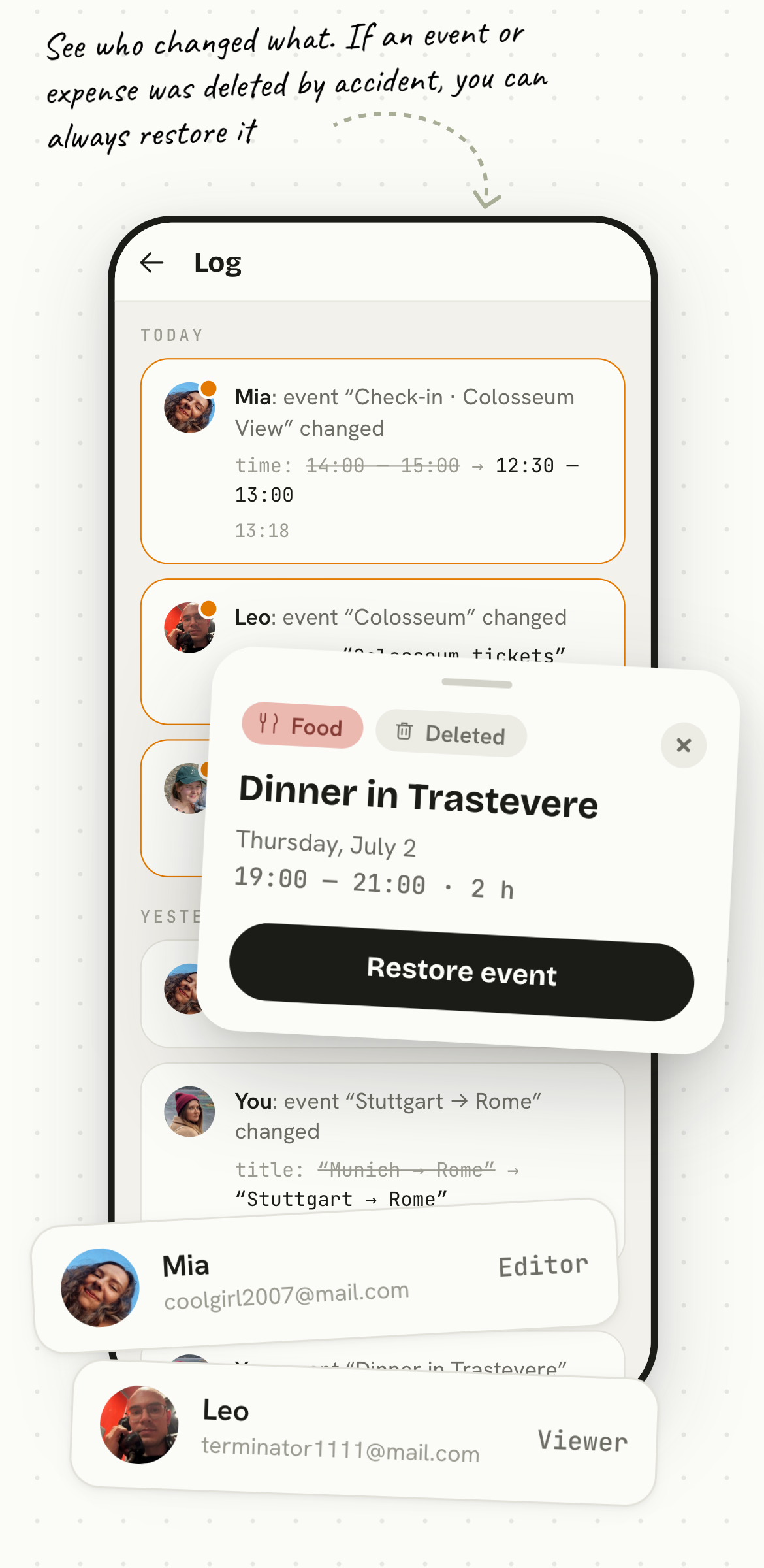
The middle of the page briefly tells what the app can do, without walking through every screen. Four blocks, one idea in each: planning together, expenses, personal lists and working offline. Each block is a headline, one line and a fragment of the real interface.
These are all real screens: you can switch tabs in expenses, tick items in lists, and handwritten notes and arrows around it point out what to look at. So the landing page shows how the app works, not just how it looks.
01 / 04
Журнал
Сегодня
Алёна: событие Заезд · Colosseum View изменено
время: 14:00 — 15:00 → 12:30 — 13:00
Влад: событие Колизей изменено
файлы: + «Билеты в Колизей»
МА
Маша: событие → Colosseum View добавлено
Вчера
Алёна: событие Колизей добавлено
Вы: событие Штутгарт → Рим изменено
заголовок: «Москва → Рим» → «Штутгарт → Рим»
3 сентября
Вы: событие Ужин в Трастевере удалено
Алёна: событие Заезд · Colosseum View добавлено
МА2 изменения после входаСмотреть
Просматривай кто что изменил. Если событие или трату случайно удалили — всегда можно вернуть
ЕдаУдалено
Ужин в Трастевере
четверг, 2 июля
19:00 — 21:00 · 2 ч
Восстановить событие
Алёнаcoolgirl2007@mail.com
Редактор
Владterminator1111@mail.com
Читатель
Log
Today
Mia: event Check-in · Colosseum View edited
time: 14:00 — 15:00 → 12:30 — 13:00
Leo: event Colosseum edited
files: + “Colosseum tickets”
SO
Sofia: event → Colosseum View added
Yesterday
Mia: event Colosseum added
You: event Stuttgart → Rome edited
title: “Munich → Rome” → “Stuttgart → Rome”
September 3
You: event Dinner in Trastevere deleted
Mia: event Check-in · Colosseum View added
SO2 changes since you signed inView
See who changed what. If an event or expense was deleted by accident, you can always restore it
FoodDeleted
Dinner in Trastevere
Thursday, July 2
19:00 — 21:00 · 2 h
Restore event
Miacoolgirl2007@mail.com
Editor
Leoterminator1111@mail.com
Viewer
Траты
По днямПо категориям
Ваши расходы
28 950,00 ₽
из них 24 950,00 ₽ · 40,00 €
76 800,00 ₽ потратили вместе
Вам должны
10 100,00 ₽ · 20,00 €
6 расчётов
12 июля19 200,00 ₽
УжинДТ платит за АЛВЛМА
3 200,00 ₽из 9 600,00 ₽
КолизейАЛ платит за ДТВЛМА
2 400,00 ₽из 7 200,00 ₽
ТаксиМА платит за ДТАЛВЛ
800,00 ₽из 2 400,00 ₽
11 июля57 600,00 ₽
ОтельДТ платит за АЛВЛМА
6 000,00 ₽из 24 000,00 ₽
ПродуктыВЛ платит за ДТАЛМА
850,00 ₽из 3 400,00 ₽
ПерелётДТ платит за АЛ
14 500,00 ₽из 29 000,00 ₽
СувенирыДТ личная трата
1 200,00 ₽
Расчёты
Вам должны
10 100,00 ₽ · 20,00 €
Упростить переводы
Переводов меньше (2 вместо 6) — но не видно, из каких трат они сложились
Кто кому отдаёт
Вам платят
АЛАлёна→ДТДаша4 700 ₽
✓ Рассчитаться
ВЛВлад→ДТДаша2 400 ₽
✓ Рассчитаться
МАМаша→ДТДаша3 000 ₽
✓ Рассчитаться
Между собой
АЛАлёна→ВЛВлад2 400 ₽
✓ Рассчитаться
ВЛВлад→МАМаша500 ₽
✓ Рассчитаться
МАМаша→ВЛВлад500 ₽
✓ Рассчитаться
Расходы в любой валюте с раскладкой по тем валютам, в которых были траты
Раздел расчётов между участниками подскажет кто кому и за что должен
Смотри траты в ленте или по категориям
Упростить переводы
Переводов меньше (2 вместо 6) — но не видно, из каких трат они сложились
Expenses
By dayBy category
Your spending
$289.50
of which $249.50 · €40.00
$768.00 spent together
You are owed
$101.00 · €20.00
6 settlements
July 12$192.00
DinnerEM pays for MILESO
$32.00of $96.00
ColosseumMI pays for EMLESO
$24.00of $72.00
TaxiSO pays for EMMILE
$8.00of $24.00
July 11$576.00
HotelEM pays for MILESO
$60.00of $240.00
GroceriesLE pays for EMMISO
$8.50of $34.00
FlightEM pays for MI
$145.00of $290.00
SouvenirsEM personal expense
$12.00
Settlements
You are owed
$101.00 · €20.00
Simplify payments
Fewer payments (2 instead of 6) — but you can’t see which expenses they came from
Who pays whom
Paying you
MIMia→EMEmma$47
✓ Settle up
LELeo→EMEmma$24
✓ Settle up
SOSofia→EMEmma$30
✓ Settle up
Among themselves
MIMia→LELeo$24
✓ Settle up
LELeo→SOSofia$5
✓ Settle up
SOSofia→LELeo$5
✓ Settle up
Expenses in any currency, broken down by the currencies you actually paid in
The settlements screen shows who owes whom, and for what
View expenses as a feed or by category
Simplify payments
Fewer payments (2 instead of 6) — but you can’t see which expenses they came from
Списки
ВсёНе готово
Готово7 / 8
88%
Документы2 / 3
Паспорт
Страховка
Распечатки броней
Добавить
Одежда3 / 3
Футболки × 5
Джинсы
Дождевик
Добавить
Техника2 / 2
Зарядка для телефона
Наушники
Добавить
Отметь “Паспорт” и всё будет готово!
Паспорт
Зарядка для телефона
Своя вкладка «Не собрано» — чтобы не листать всё
Lists
AllTo do
Done7 / 8
88%
Documents2 / 3
Passport
Insurance
Printed bookings
Add
Clothes3 / 3
T-shirts × 5
Jeans
Raincoat
Add
Tech2 / 2
Phone charger
Headphones
Add
Check off “Passport” and you’re all set!
Passport
Phone charger
Своя вкладка «Не собрано» — чтобы не листать всё
Файлы
Италия · 29 июн — 6 июл
Весь маршрут
Страховка ВЗР (Allianz)PDF · 310 КБ
Проездной Roma 72hPDF · 85 КБ
29 июня
Билет на самолетPDF · 240 КБ
Бронь: Hotel DavanzatiPDF · 180 КБ
1 июля
Билет: Галерея УффициPDF · 90 КБ
3 июля
Билет: КолизейPDF · 120 КБ
6 июля
Билет: Рим → Москва (SU 2411)PDF · 235 КБ
Файлы собраны в одном месте, не надо искать по всему телефону
Что-то поменял без сети — синхронизируется при первом же интернете
Билет на самолетPDF · 240 КБ
Files
Italy · Jun 29 — Jul 6
Whole trip
Travel insurance (Allianz)PDF · 310 KB
Roma 72h transit passPDF · 85 KB
June 29
Flight ticketPDF · 240 KB
Booking: Hotel DavanzatiPDF · 180 KB
July 1
Ticket: Uffizi GalleryPDF · 90 KB
July 3
Ticket: ColosseumPDF · 120 KB
July 6
Ticket: Rome → Stuttgart (LH 1939)PDF · 235 KB
Files are all in one place — no need to search your whole phone
Changed something offline? It syncs as soon as you’re back online
Flight ticketPDF · 240 KB
An invitation to an adventure
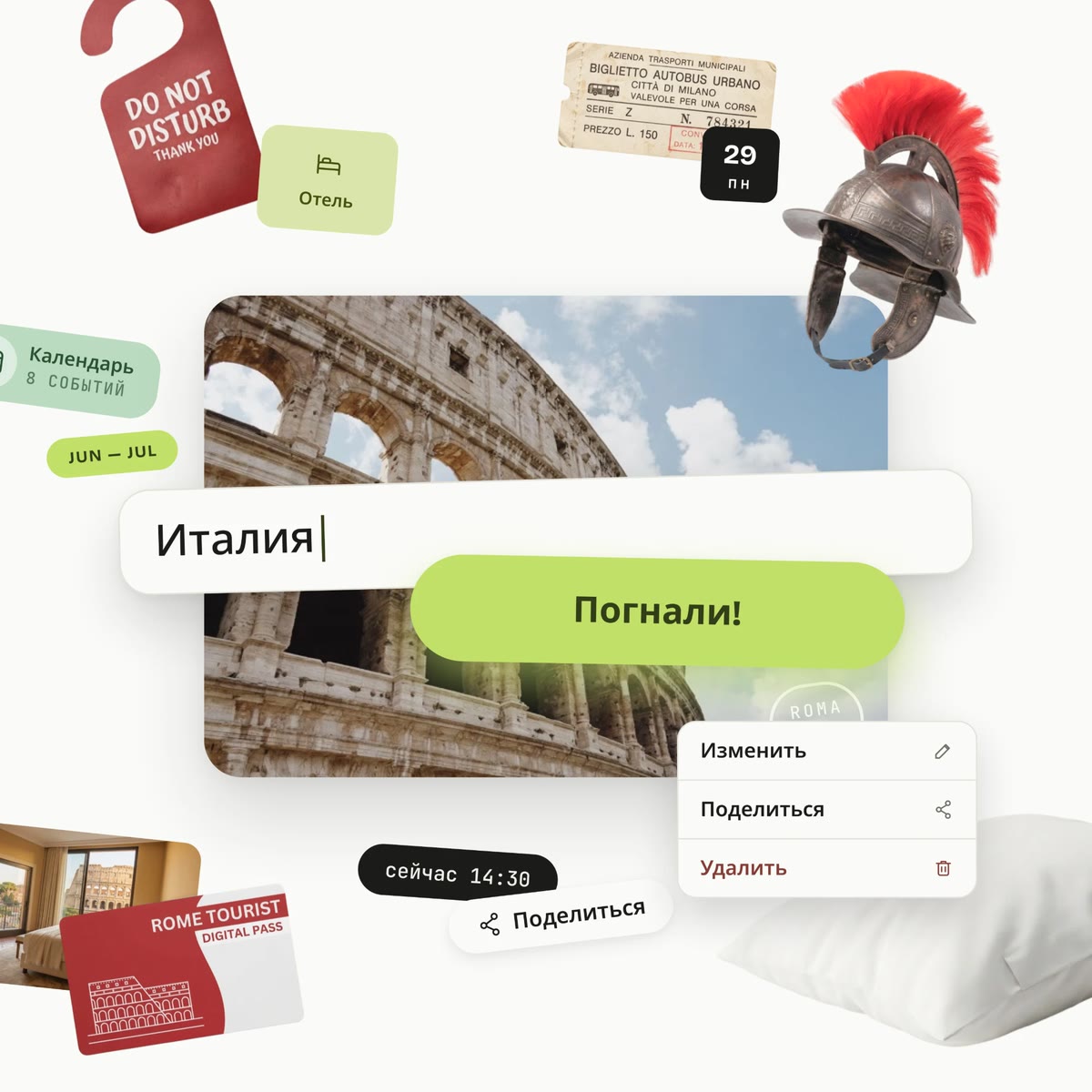
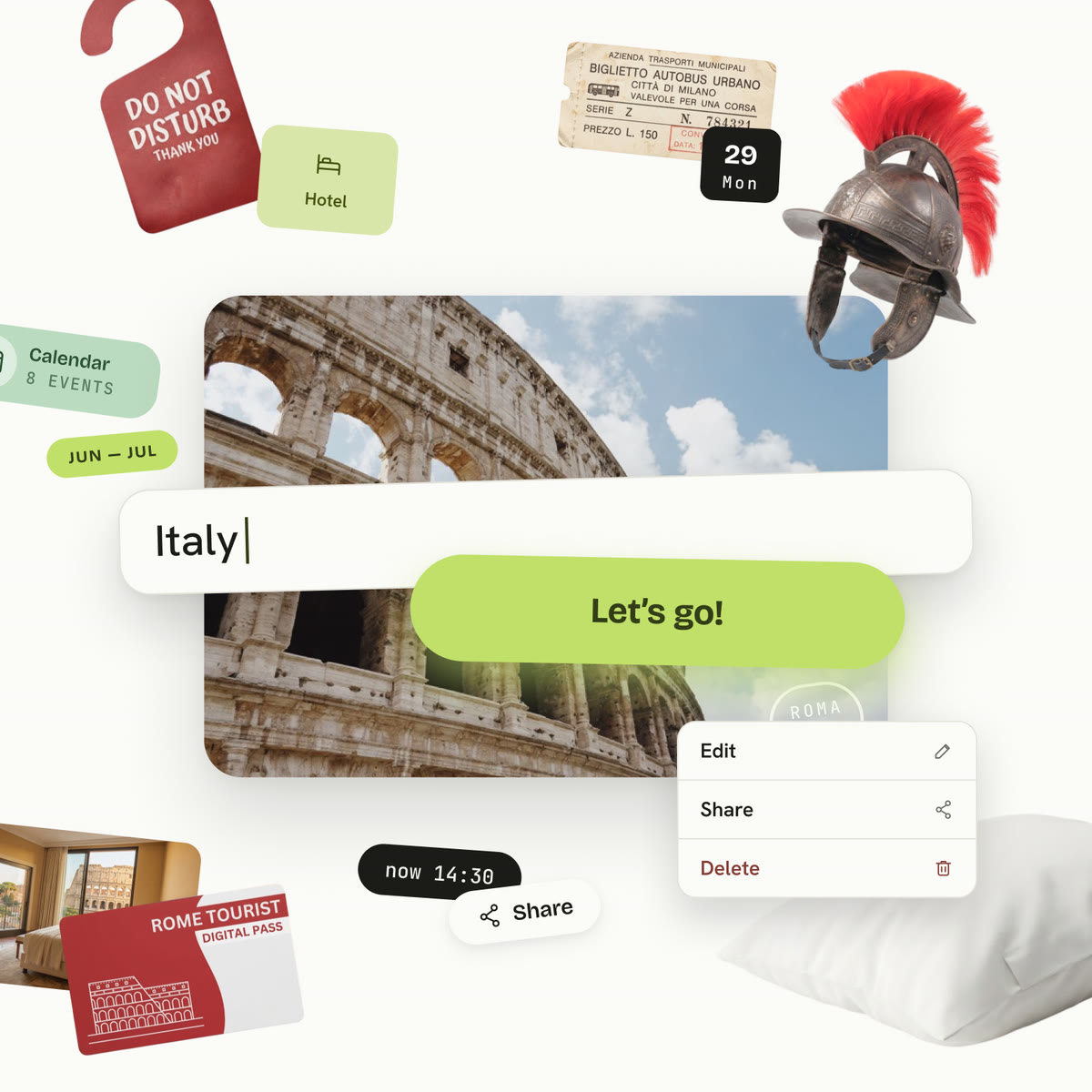
After a row of screens with interfaces, I wanted the last block to be a bright chord. The travel-notebook style is most visible here: a cover with a photo and a stamp, and around it, as if pasted in, tickets, tags and souvenirs. Each country has its own set. Italy gets a gladiator helmet, a ticket, a door tag and a hotel room number; France gets wine, a croissant and the Eiffel Tower; Japan gets a watermelon, matcha and a keychain; Kamchatka gets fish, caviar and a bear.
The “Let’s go!” button leads straight into the app. So the page ends not with a plain request to click, but with a wish to go on your next adventure.
The mobile version
For a landing with this much animation, the mobile version is the hardest part. For the vertical format I came up with my own layout and a new composition. It was important to me not to simplify the mobile design too much, so I tried to keep the original concept as intact as possible.
01 / 03
9:41
Animated hero screen
The animation is kept, but the cards fly along a new path made for a vertical screen.
9:41
Feature screens
Adjusted for a narrow screen: the notes next to them are shorter because space is limited.
9:41
Final call to action
Completely rebuilt for the mobile format.
The order of work
First I built the layouts of all the scenes in Figma, placing every card, note and arrow by hand, separately for desktop and for the phone.
Then Claude Code moved them into code with the same coordinates and built the animation and the transitions between scenes: how the cards fly into the phone, how the notes appear, how the countries change in the finale. After that I checked the result on the live page and refined the details together with it.